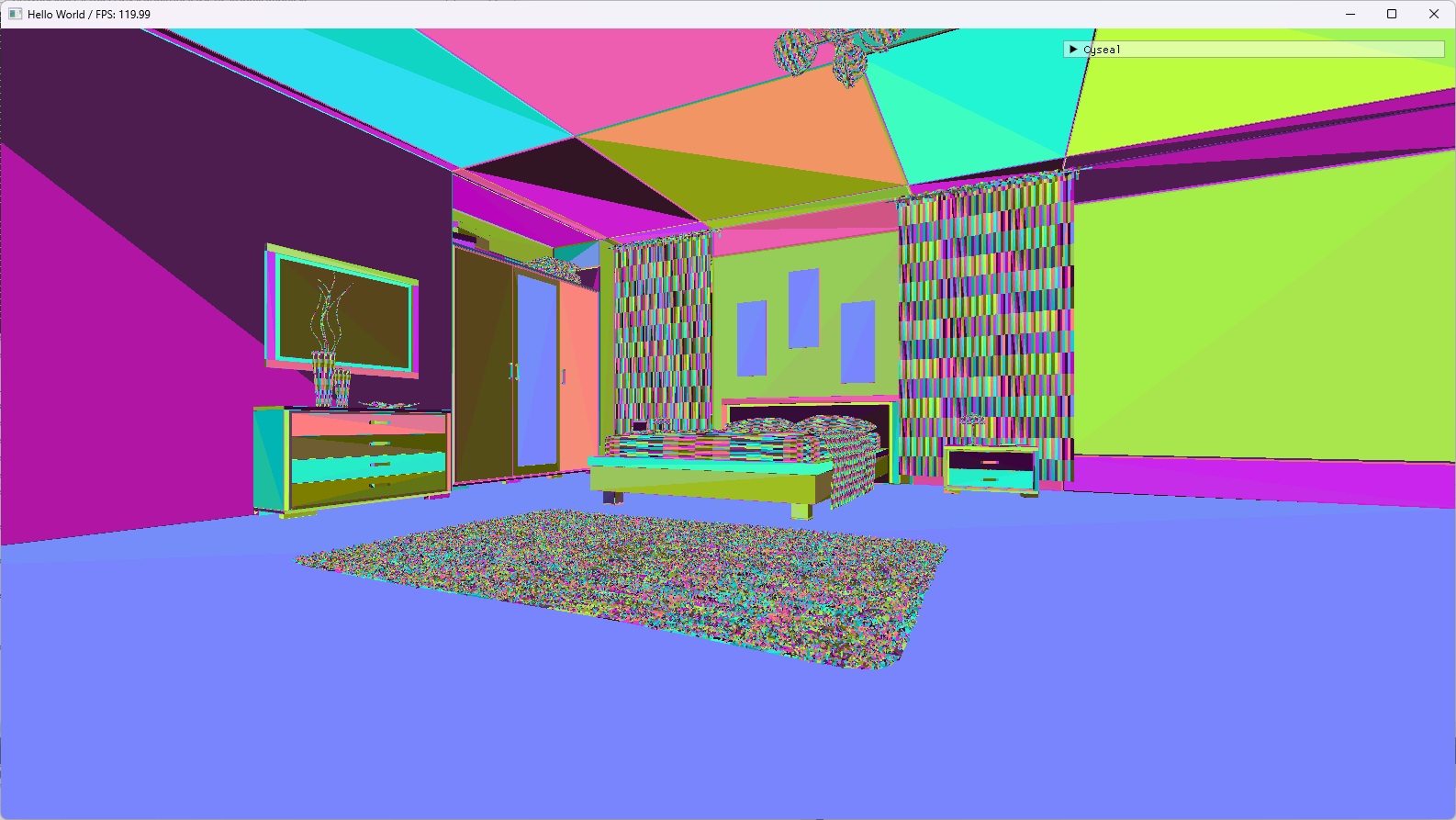
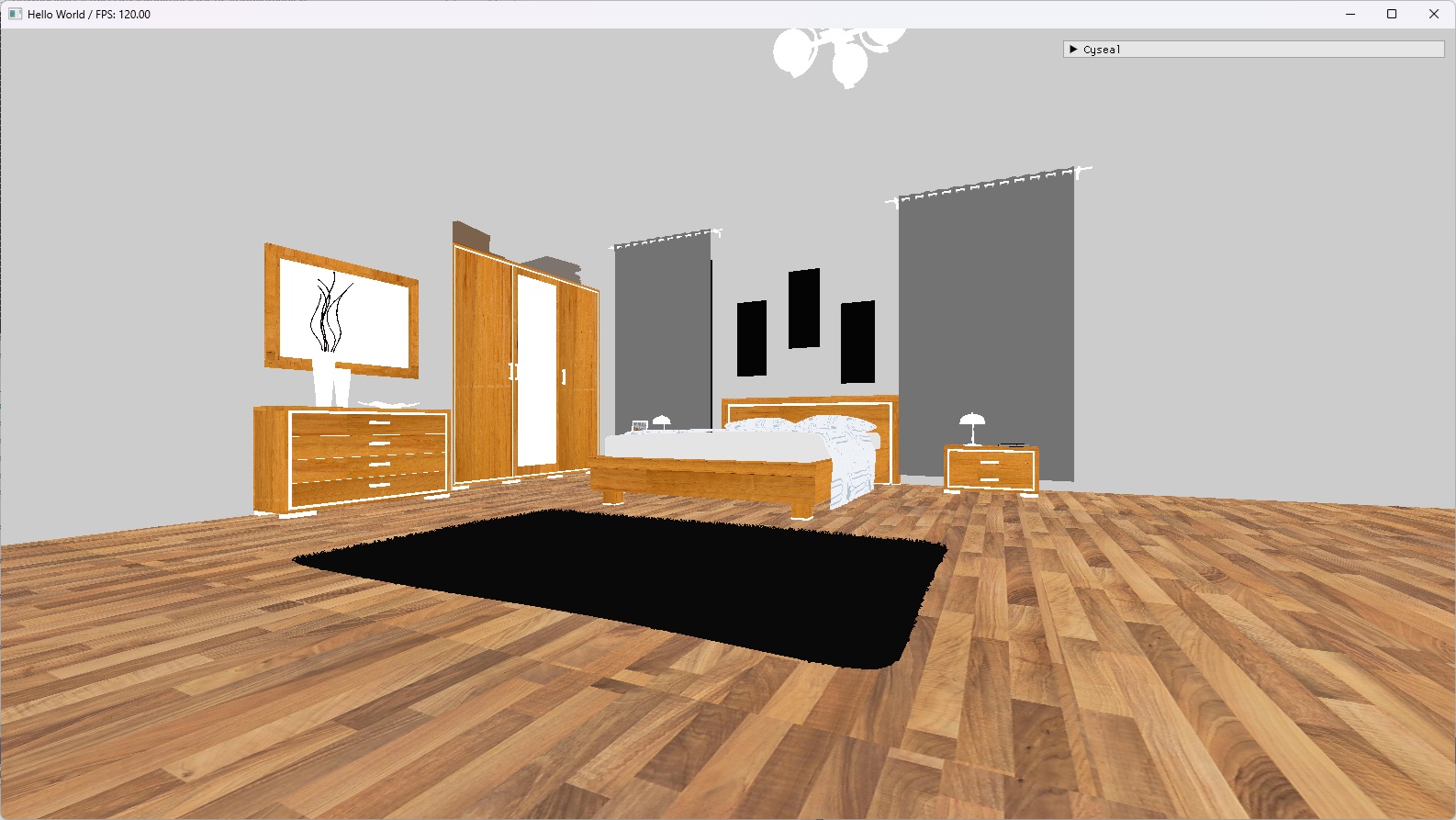
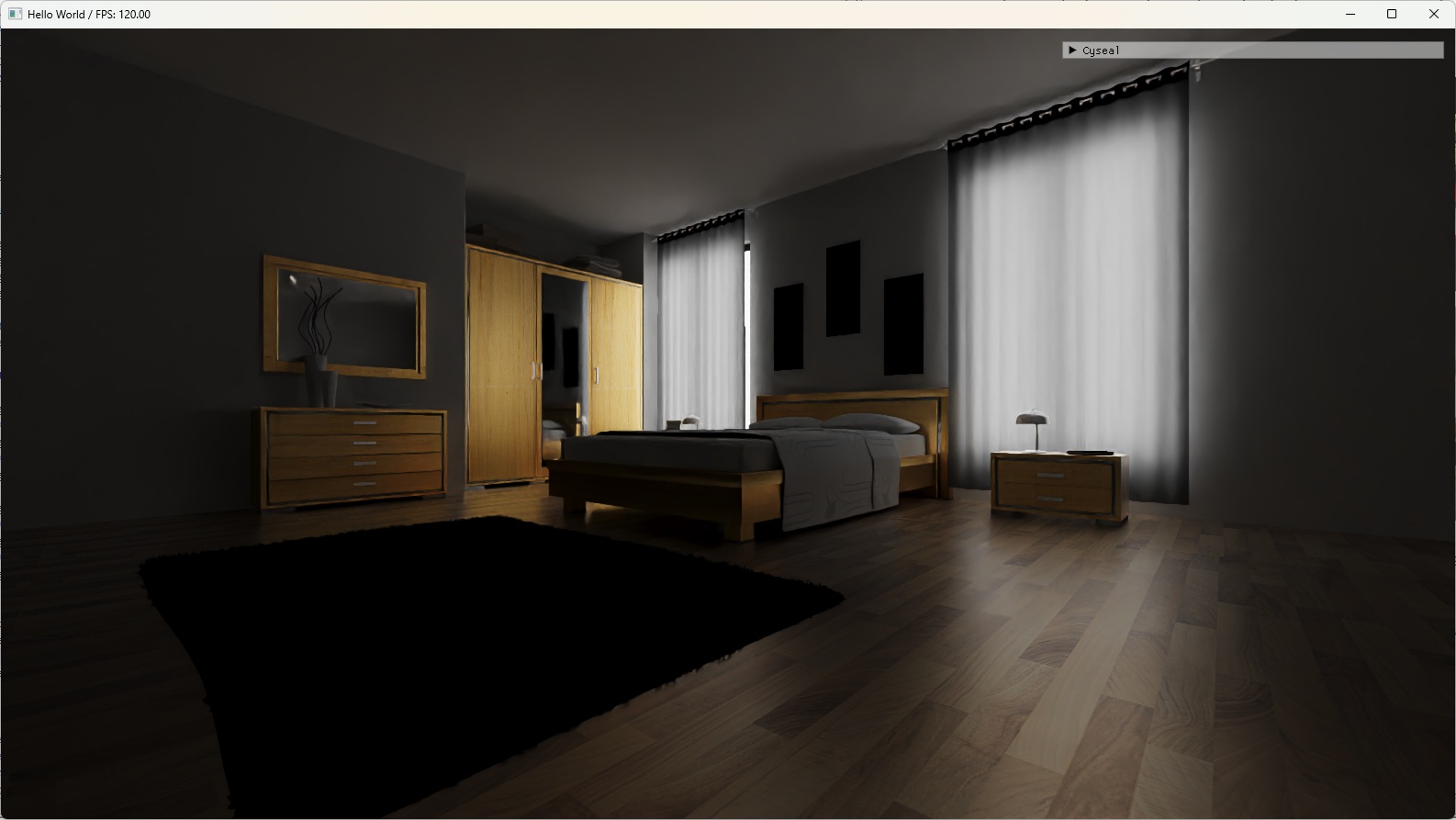
AMD FSR3 is a mix of super resolution and frame generation technologies. Super resolution upscales low resolution image to high resolution one and frame generation interpolates two real images to generate an interpolated image. FSR3 is a part of AMD FidelityFX SDK.
There's two types of FG, interpolation and extrapolation, but to my knowledge every FG technique (DLSS, FSR, and XeSS) is interpolation so I will consider frame generation and frame interpolation interchangeable.
Frame generation (FG in short) is performed with final color images of two consecutive frames, so the cost is mostly agnostic of scene complexity. If FG cost is cheaper than actually rendering a complex scene, then FG effectively doubles the FPS by doing the following:
Intuitively, the FPS should be stable. Let's say real frames were displayed at 60 FPS = 16.67 ms. If interpolated frames are displayed for, to say, 8.33 ms, then FPS would increase to 90 FPS, but the camera control will feel pretty bad. This issue is called frame pacing and it will be explained later.
There's a few concerns for FG to be actually useful:
AMD FidelityFX SDK contains two modules for FSR3 frame generation. One is frame generation module and the other one is auxiliary module for swapchain interaction.
Usually when you integrate a third party SDK, you just include header files, link DLLs, and call the API of the SDK. This time I wanted to actually understand the FG algorithm so I rather chose another way with a lot of manual work.
I have a toy DX12 project called Cyseal where I exercise graphics programming. I have integrated open source implementation of FSR3 frame generation in FidelityFX SDK v1.1.4 to Cyseal. I made some choices when doing it:
To run frame generation shaders you need typical input parameters like scene color, scene depth, motion vector, ... and a not so obvious input called Optical Flow. FidelityFX SDK provides the optical flow module to generate it. So generating an interpolated frame is like this:
Both optical flow and frame generation utilize Single Pass Downsampler, another FidelityFX module. It's just for efficient generation of texture mip pyramid so I'll skip it.
Overall what I do is fairly standard compute shader experience:
The algorithm details are well explained in AMD gpuopen.
The following is the input of my optical flow class. The only GPU resource is the scene color texture.
// See ffx_opticalflow_prepare_luma.h
enum class OpticalFlowBackbufferTransferFunction : uint32
{
	LinearLdrToLuminance                  = 0,
	PQCorrectedHdrToPerceivedLuminance    = 1,
	SCRGBCorrectedHdrToPerceivedLuminance = 2,

	Count,
};

struct OpticalFlowPassInput
{
	class ClearResourcePass*              clearResourcePass; // My util class to clear textures as zero.
	OpticalFlowBackbufferTransferFunction transferFunction;
	bool                                  bResetAccumulation;
	uint32                                containerSizeX;
	uint32                                containerSizeY;
	int32                                 lumaResolutionX;
	int32                                 lumaResolutionY;
	float                                 minLuminance;
	float                                 maxLuminance;
	Texture*                              sceneColorTexture;
	ShaderResourceView*                   sceneColorSRV;
};
... with a lot of backing internal resources. I managed them manually but if you integrate FidelityFX SDK in the standard way, you don't need to care for them.
class OpticalFlowPass final : public SceneRenderPass
{
public:
	void initialize(RenderDevice* inRenderDevice);

	OpticalFlowPassOutput runOpticalFlow(RenderCommandList* commandList, const FrameInfo& frameInfo, const OpticalFlowPassInput& passInput);

private:
	void initializePipelines();
	void recreateResources(RenderCommandList* commandList, const FrameInfo& frameInfo, const OpticalFlowPassInput& passInput);

private:
	RenderDevice* device = nullptr;
	uint32 resourceFrameIndex = 0; // for CPU
	uint32 gpuFrameIndex = 0;
	bool bFirstExecution = true;

	// <FidelityFX_SDK>/sdk/src/components/opticalflow/ffx_opticalflow_private.h
	UniquePtr<ComputePipelineState>        pipelinePrepareLuma;
	UniquePtr<ComputePipelineState>        pipelineGenerateOpticalFlowInputPyramid;
	UniquePtr<ComputePipelineState>        pipelineGenerateSCDHistogram;
	UniquePtr<ComputePipelineState>        pipelineComputeSCDDivergence;
	UniquePtr<ComputePipelineState>        pipelineComputeOpticalFlowAdvancedV5;
	UniquePtr<ComputePipelineState>        pipelineFilterOpticalFlowV5;
	UniquePtr<ComputePipelineState>        pipelineScaleOpticalFlowAdvancedV5;

	VolatileDescriptorHelper               prepareLumaDescriptor;
	VolatileDescriptorHelper               genInputPyramidDescriptor;
	VolatileDescriptorHelper               genSCDHistogramDescriptor;
	VolatileDescriptorHelper               computeSCDDivergenceDescriptor;
	VolatileDescriptorHelper               computeOpticalFlowAdvancedV5Descriptor;
	VolatileDescriptorHelper               filterOpticalFlowV5Descriptor;
	VolatileDescriptorHelper               scaleOpticalFlowAdvancedV5Descriptor;

	std::vector<int32>                     containerResolutionXs;
	std::vector<int32>                     containerResolutionYs;
	std::vector<int32>                     lumaResolutionXs;
	std::vector<int32>                     lumaResolutionYs;

	UniquePtr<Texture>                     opticalFlowInputTextures[2][7];
	UniquePtr<UnorderedAccessView>         opticalFlowInputUAVs[2][7];
	UniquePtr<ShaderResourceView>          opticalFlowInputSRVs[2][7];

	UniquePtr<Texture>                     opticalFlowTextures[2][7];
	UniquePtr<UnorderedAccessView>         opticalFlowUAVs[2][7];
	UniquePtr<ShaderResourceView>          opticalFlowSRVs[2][7];

	BufferedUniquePtr<Texture>             scdHistogramTextures;
	BufferedUniquePtr<UnorderedAccessView> scdHistogramUAVs;
	UniquePtr<Texture>                     scdTempTexture;
	UniquePtr<UnorderedAccessView>         scdTempUAV;
	UniquePtr<Texture>                     scdOutputTexture; // Final output
	UniquePtr<UnorderedAccessView>         scdOutputUAV;
	UniquePtr<ShaderResourceView>          scdOutputSRV;

	uint32                                 opticalFlowVectorSizeX = 0;
	uint32                                 opticalFlowVectorSizeY = 0;
	UniquePtr<Texture>                     opticalFlowVectorTexture; // Final output
	UniquePtr<UnorderedAccessView>         opticalFlowVectorUAV;
	UniquePtr<ShaderResourceView>          opticalFlowVectorSRV;
};
Among them opticalFlowVectorTexture and scdOutputTexture are the final output, which will be fed to the frame generation pass.
struct OpticalFlowPassOutput
{
	uint32              opticalFlowVectorSizeX          = 0;
	uint32              opticalFlowVectorSizeY          = 0;
	Texture*            opticalFlowVectorTexture        = nullptr;
	ShaderResourceView* opticalFlowVectorSRV            = nullptr;
	Texture*            sceneChangeDetectionTexture     = nullptr;
	ShaderResourceView* sceneChangeDetectionSRV         = nullptr;
};
I wrap output resources to make it easy to pass them around.
Again I do fairly standard compute shader experience:
The algorithm details are well explained in AMD gpuopen. It mentions backbuffer multiple times but after all Frame Generation is an algorithm that generates an interpolated texture between two textures, and backbuffer interaction is just an implementation detail due to FidelityFX being a game-related SDK. You can just pass arbitrary textures to the algorithm and get the interpolated texture. (Backbuffer thing does matter if you integrate FidelityFX as is because it takes control of swapchain.)
The following is the input of my frame generation class.
enum class EFrameGenDispatchFlags : uint32
{
	NONE                        = 0,
	DRAW_DEBUG_TEAR_LINES       = (1 << 0),
	DRAW_DEBUG_RESET_INDICATORS = (1 << 1),
	DRAW_DEBUG_VIEW             = (1 << 2),
};
ENUM_CLASS_FLAGS(EFrameGenDispatchFlags);

struct FrameGenPassInput
{
	class ClearResourcePass*              clearResourcePass; // My util class to clear textures as zero.
	const OpticalFlowPassOutput*          opticalFlowPassOutput;
	const Camera*                         camera;
	int32                                 renderSizeX;
	int32                                 renderSizeY;
	int32                                 displaySizeX;
	int32                                 displaySizeY;
	uint32                                frameID;
	EFrameGenDispatchFlags                dispatchFlags;
	OpticalFlowBackbufferTransferFunction backBufferTransferFunction;
	bool                                  bReset;
	float                                 minLuminance;
	float                                 maxLuminance;
	Texture*                              sceneColorTexture;
	ShaderResourceView*                   sceneColorSRV;
	Texture*                              sceneDepthTexture;
	ShaderResourceView*                   sceneDepthSRV;
	Texture*                              motionVectorTexture;
	ShaderResourceView*                   motionVectorSRV;
};
Again with a lot of backing fields:
class FrameGenPass final : public SceneRenderPass
{
public:
	void initialize(RenderDevice* inRenderDevice, EPixelFormat inSourceColorFormat);

	FrameGenPassOutput runFrameGeneration(RenderCommandList* commandList, const FrameInfo& frameInfo, const FrameGenPassInput& passInput);

private:
	void initializePipelines();

	void recreateResources(RenderCommandList* commandList, const FrameGenPassInput& passInput);

	void updateUniforms(RenderCommandList* commandList, const FrameGenPassInput& passInput);
	void preparePhase(RenderCommandList* commandList, const FrameInfo& frameInfo, const FrameGenPassInput& passInput);
	void dispatchPhase(RenderCommandList* commandList, const FrameInfo& frameInfo, const FrameGenPassInput& passInput);

	ConstantBufferView* getCurrentFrameInterpUniformCBV();
	ConstantBufferView* getCurrentInpaintingPyramidUniformCBV();

private:
	RenderDevice* device = nullptr;
	EPixelFormat sourceColorFormat;

	uint32 cpuFrameIndex = 0;
	uint32 prevFrameID = 0; // from FrameGenPassInput
	uint32 interpolationDispatchCount = 0;
	bool bResetCurrentFrame = false;

	// See FfxFrameInterpolationPass enum in <FidelityFX_SDK>\sdk\src\components\frameinterpolation\ffx_frameinterpolation.cpp
	UniquePtr<ComputePipelineState>        reconstructAndDilatePipeline;
	UniquePtr<ComputePipelineState>        setupPipeline;
	UniquePtr<ComputePipelineState>        reconstructPrevDepthPipeline;
	UniquePtr<ComputePipelineState>        gameMotionVectorFieldPipeline;
	UniquePtr<ComputePipelineState>        opticalFlowVectorFieldPipeline;
	UniquePtr<ComputePipelineState>        disocclusionMaskPipeline;
	UniquePtr<ComputePipelineState>        interpolationPipeline;
	UniquePtr<ComputePipelineState>        inpaintingPyramidPipeline;
	UniquePtr<ComputePipelineState>        inpaintingPipeline;
	UniquePtr<ComputePipelineState>        gameVectorFieldInpaintingPyramidPipeline;
	UniquePtr<ComputePipelineState>        debugViewPipeline;

	VolatileDescriptorHelper               prepareDescriptor;
	VolatileDescriptorHelper               frameInterpDescriptor;
	VolatileDescriptorHelper               inpaintingPyramidDescriptor;

	VolatileDescriptorHelper               reconstructPrevDepthDescriptor;
	VolatileDescriptorHelper               gameMotionVectorFieldDescriptor;
	VolatileDescriptorHelper               gameMotionVectorFieldInpaintingPyramidDescriptor;
	VolatileDescriptorHelper               opticalFlowVectorFieldDescriptor;
	VolatileDescriptorHelper               disocclusionMaskDescriptor;
	VolatileDescriptorHelper               interpolationDescriptor;
	VolatileDescriptorHelper               inpaintingDescriptor;
	VolatileDescriptorHelper               debugViewDescriptor;

	UniquePtr<Texture>                     reconstructedPrevDepthTexture;
	UniquePtr<ShaderResourceView>          reconstructedPrevDepthSRV;
	UniquePtr<UnorderedAccessView>         reconstructedPrevDepthUAV;
	UniquePtr<Texture>                     reconstructedDepthInterpolatedFrameTexture;
	UniquePtr<ShaderResourceView>          reconstructedDepthInterpolatedFrameSRV;
	UniquePtr<UnorderedAccessView>         reconstructedDepthInterpolatedFrameUAV;
	UniquePtr<Texture>                     dilatedMotionVectorTexture;
	UniquePtr<ShaderResourceView>          dilatedMotionVectorSRV;
	UniquePtr<UnorderedAccessView>         dilatedMotionVectorUAV;
	UniquePtr<Texture>                     dilatedDepthTexture;
	UniquePtr<ShaderResourceView>          dilatedDepthSRV;
	UniquePtr<UnorderedAccessView>         dilatedDepthUAV;
	UniquePtr<Texture>                     gameMotionVectorFieldTextures[2]; // x, y
	UniquePtr<ShaderResourceView>          gameMotionVectorFieldSRVs[2]; // x, y
	UniquePtr<UnorderedAccessView>         gameMotionVectorFieldUAVs[2]; // x, y
	UniquePtr<Texture>                     opticalFlowMotionVectorFieldTextures[2]; // x, y
	UniquePtr<ShaderResourceView>          opticalFlowMotionVectorFieldSRVs[2]; // x, y
	UniquePtr<UnorderedAccessView>         opticalFlowMotionVectorFieldUAVs[2]; // x, y
	UniquePtr<Texture>                     disocclusionMaskTexture;
	UniquePtr<ShaderResourceView>          disocclusionMaskSRV;
	UniquePtr<UnorderedAccessView>         disocclusionMaskUAV;
	UniquePtr<Buffer>                      counterBuffer;
	UniquePtr<ShaderResourceView>          counterSRV;
	UniquePtr<UnorderedAccessView>         counterUAV;
	UniquePtr<Texture>                     defaultDistortionFieldTexture;
	UniquePtr<ShaderResourceView>          defaultDistortionFieldSRV;
	UniquePtr<Texture>                     prevInterpolationSourceTexture;
	UniquePtr<ShaderResourceView>          prevInterpolationSourceSRV;
	UniquePtr<UnorderedAccessView>         prevInterpolationSourceUAV;
	UniquePtr<Texture>                     inpaintingPyramidTexture;
	UniquePtr<ShaderResourceView>          inpaintingPyramidSRV;
	UniquePtr<UnorderedAccessView>         inpaintingPyramidUAVs[13];
	UniquePtr<Texture>                     opticalFlowConfidenceTexture;
	UniquePtr<ShaderResourceView>          opticalFlowConfidenceSRV;
	UniquePtr<Texture>                     interpolationOutputTexture;
	UniquePtr<ShaderResourceView>          interpolationOutputSRV;
	UniquePtr<UnorderedAccessView>         interpolationOutputUAV;
};
While dispatching the shaders on my own, I found that some input parameters and internal resources are not used at all.
	FrameInterpUniform fiUniformData{
		.renderSize                 = { passInput.renderSizeX, passInput.renderSizeY },
		.displaySize                = { passInput.displaySizeX, passInput.displaySizeY },
		.displaySizeRcp             = { 1.0f / (float)(passInput.displaySizeX), 1.0f / (float)(passInput.displaySizeY) },
		.cameraNear                 = passInput.camera->getZNear(),
		.cameraFar                  = passInput.camera->getZFar(),
		.upscalerTargetSize         = { passInput.renderSizeX, passInput.renderSizeY },
		.Mode                       = 0, // #todo-fsr3-unused: FidelityFX defines but does not use it.
		.reset                      = bResetCurrentFrame || bDisjointFrameID,
		.fDeviceToViewDepth         = { 0, 0, 0, 0 }, // Set below
		.deltaTime                  = 0, // #todo-fsr3-unused: FidelityFX defines but does not use it.
		.HUDLessAttachedFactor      = 0, // #todo-fsr3: HUDLessAttachedFactor
		.distortionFieldSize        = { 1, 1 },
		.opticalFlowScale           = { 1.0f / (float)(passInput.displaySizeX), 1.0f / (float)(passInput.displaySizeY) },
		.opticalFlowBlockSize       = kOpticalFlowBlockSize,
		.dispatchFlags              = (uint32)passInput.dispatchFlags,
		.maxRenderSize              = { passInput.displaySizeX, passInput.displaySizeY },
		.opticalFlowHalfResMode     = 0, // #todo-fsr3-unused: FidelityFX defines but does not use it.
		.NumInstances               = 0, // #todo-fsr3-unused: FidelityFX defines but does not use it.
		.interpolationRectBase      = { 0, 0 },
		.interpolationRectSize      = { passInput.renderSizeX, passInput.renderSizeY },
		.debugBarColor              = { 1.0f, 0.0f, 0.0f },
		.backBufferTransferFunction = (uint32)passInput.backBufferTransferFunction,
		.minMaxLuminance            = { passInput.minLuminance, passInput.maxLuminance },
		.fTanHalfFOV                = 0.5f * std::tan(2.0f * std::atan(std::tan(passInput.camera->getFovYInRadians() * 0.5f) * passInput.camera->getAspectRatio())),
		._pad1                      = 0,
		.fJitter                    = { 0, 0 }, // #todo-fsr3: Probably needed when doing super resolution AND interpolation.
		.fMotionVectorScale         = { -1, -1 },
	};
	setupDeviceDepthToViewSpaceDepthParams(passInput.camera, 1.0f, fiUniformData.fDeviceToViewDepth);

	frameInterpUniformCBV->writeToGPU(commandList, &fiUniformData, sizeof(fiUniformData));
This is my code to setup the constant buffer. Variables with #todo-fsr3-unused are not actually used. Also opticalFlowConfidenceTexture is not used. They might be used in later versions of FidelityFX but I didn't look for yet, so simply I don't know.
The final output is interpolationOutputTexture. Again I wrap output resources with a struct:
struct FrameGenPassOutput
{
	Texture*               interpolatedFrameTexture                = nullptr;
	ShaderResourceView*    interpolatedFrameSRV                    = nullptr;
	Texture*               opticalFlowMotionVectorFieldTextures[2] = { nullptr, nullptr };
	ShaderResourceView*    opticalFlowMotionVectorFieldSRVs[2]     = { nullptr, nullptr };
};
To present the interpolated frame you only need interpolatedFrameTexture. opticalFlowMotionVectorFieldTextures is just for visualizing optical flow in debug view mode.
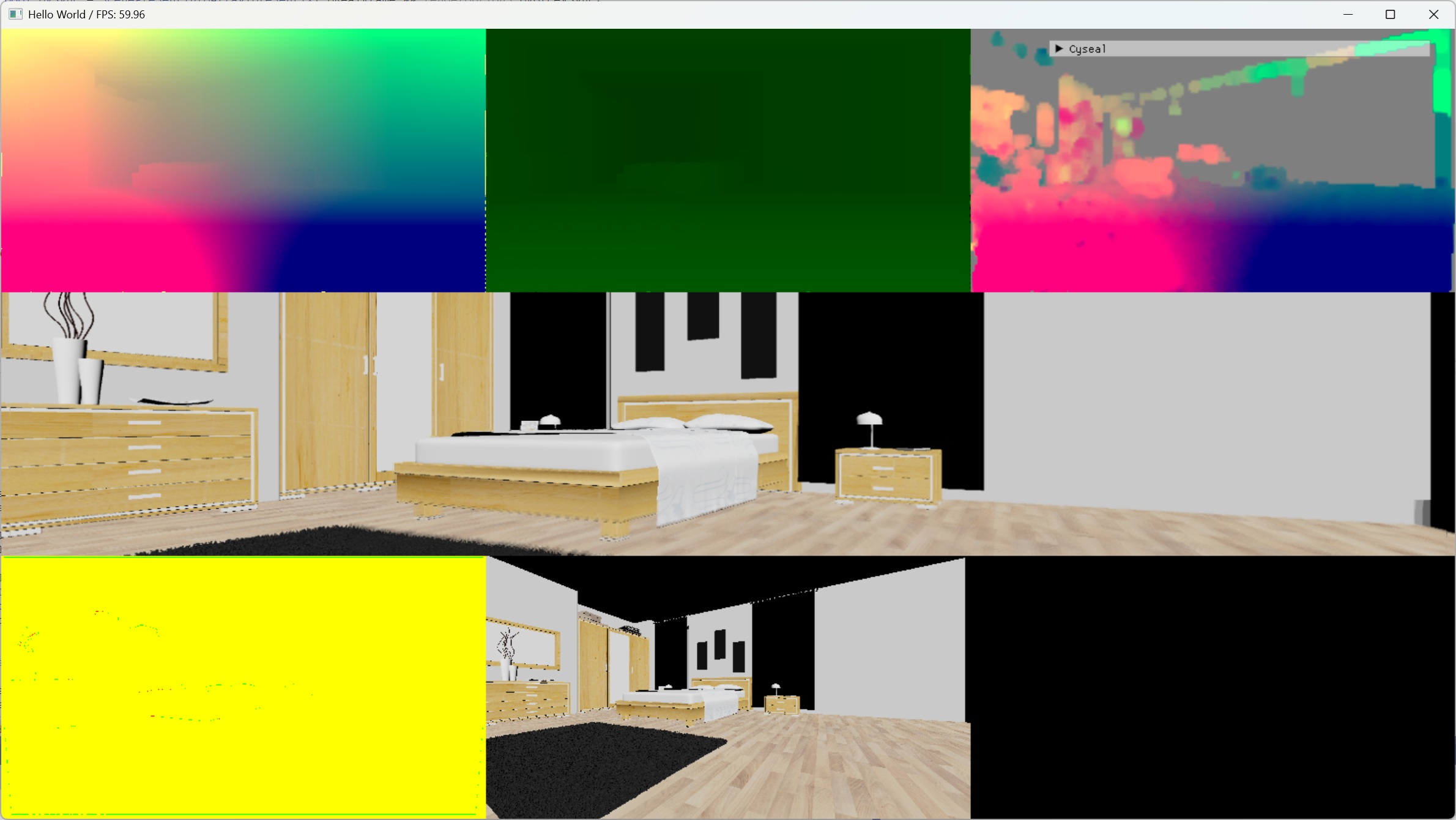
FG debug view of my application, which will be familiar if you have ran the FidelityFX sample project.
To present an interpolated frame you need to consider two things:
FidelityFX provides swapchain module for that. This module has no shaders.
After manually integrating frame generation shaders I looked into this module and realized I can't use it because of how I integrated the shaders. gpuopen explains well how the module works, like multithreading and UI handling, so I'll just describe how I implemented it in my single threaded application.
Lack of multithreading yet my rendering loop is fairly simple:
// pesudo-code of my app's loop
onTick() {
	world->update()

	sceneProxy = createSceneProxy(world)

	runSceneRenderer(sceneProxy)

	renderUI()

	present()
}
With frame generation, it changes like this:
// pesudo-code of my app's loop
onTick() {
	world->update()

	sceneProxy = createSceneProxy(world)

	// Now includes frame generation pass
	runSceneRenderer(sceneProxy)

	renderUI()
	presentInterpolatedFrame()
	busyWait()

	renderUI()
	presentRealFrame()
}
For UI composition, FidelityFX provides several options. I decided to just render the same UI twice for both interpolated and real frames. To expand the pseudo present logic a bit more:
	// Fill scenePresentInfoArray. if FG is on:
	//     scenePresentInfoArray[0] = interpolated frame
	//     scenePresentInfoArray[1] = real frame
	//     scenePresentCount = 2
	struct ScenePresentInfo
	{
		bool                bRealFrame;
		Texture*            colorTexture;
		ShaderResourceView* colorSRV;
	} scenePresentInfoArray[2];
	uint32 scenePresentCount = 0;

	HighFrequencyCounter interpFrameCounter;
	float interpTimeMS = 0.0f;

	for (uint32 presentIx = 0; presentIx < scenePresentCount; ++presentIx)
	{
		// 1. Prepare swapchain image.

		// 2. Blit the color texture to swapchain.

		// 3. Render UI.

		// 4. Present.
		swapChain->present(renderOptions.bForceVSync);

		if (scenePresentInfoArray[presentIx].bRealFrame == false)
		{
			interpFrameCounter.start();

			const float frameMS = avgFrameTime.getAverage();

			// Accuracy of std::this_thread::sleep_for() is too bad. Do spin wait.
			HighFrequencyCounter spinWait;
			spinWait.start();
			while (spinWait.stopWithMilliseconds() < frameMS);

			interpTimeMS += interpFrameCounter.stopWithMilliseconds();
		}

		if (presentIx != scenePresentCount - 1)
		{
			resetCommandList(commandAllocator, commandList);

			if (bRenderToBackbuffer)
			{
				swapChain->prepareBackbuffer();

				acquireSwapchainResources(swapchainBuffer, swapchainBufferRTV);

				finalBlitTarget    = swapchainBuffer;
				finalBlitRTV       = swapchainBufferRTV;
			}
		}
	}

	frameID += 1;
	avgFrameTime.push(renderOptions.prevFrameTime - prevInterpTime);
	prevInterpTime = interpTimeMS;
The display time for interpolated frames is the avrage frame time of recent N real frames and it's well explained in gpuopen. Unlike AMD's swapchain module, my implementation is single threaded therefore my 'frame time' includes the cost of running frame generation shaders and displaying interpolated frames. So when calculating average frame time I manually subtract such cost.
My frame pacing logic is not perfect, but it works in one way or another when the application's frame rate is stable and effectively doubles the frame rate. I'll improve it by carefully considering v-sync, VRR, a too long real frame that ruins avg frame time, and so on.
From left to right: FPS 30 (native), FPS 60 (framegen), FPS 60 (native)
FPS was capped internally in the demo application by 30 FPS / 30 FPS with FG / 60 FPS, all recorded by NVidia overlay with 120 FPS, exported by a video editor software with 60 FPS.
Native 30 FPS feels a bit laggy, but not that much in this clip because it's just straight motion in a small window. Personally I feel low framerate hard when the screen size goes bigger (or I'm closer to the monitor) and camera rotates faster.
But even here you can see both 60 FPS clips are more smooth than native 30 FPS. 30 FPS with FG is quite smooth as native 60 FPS.
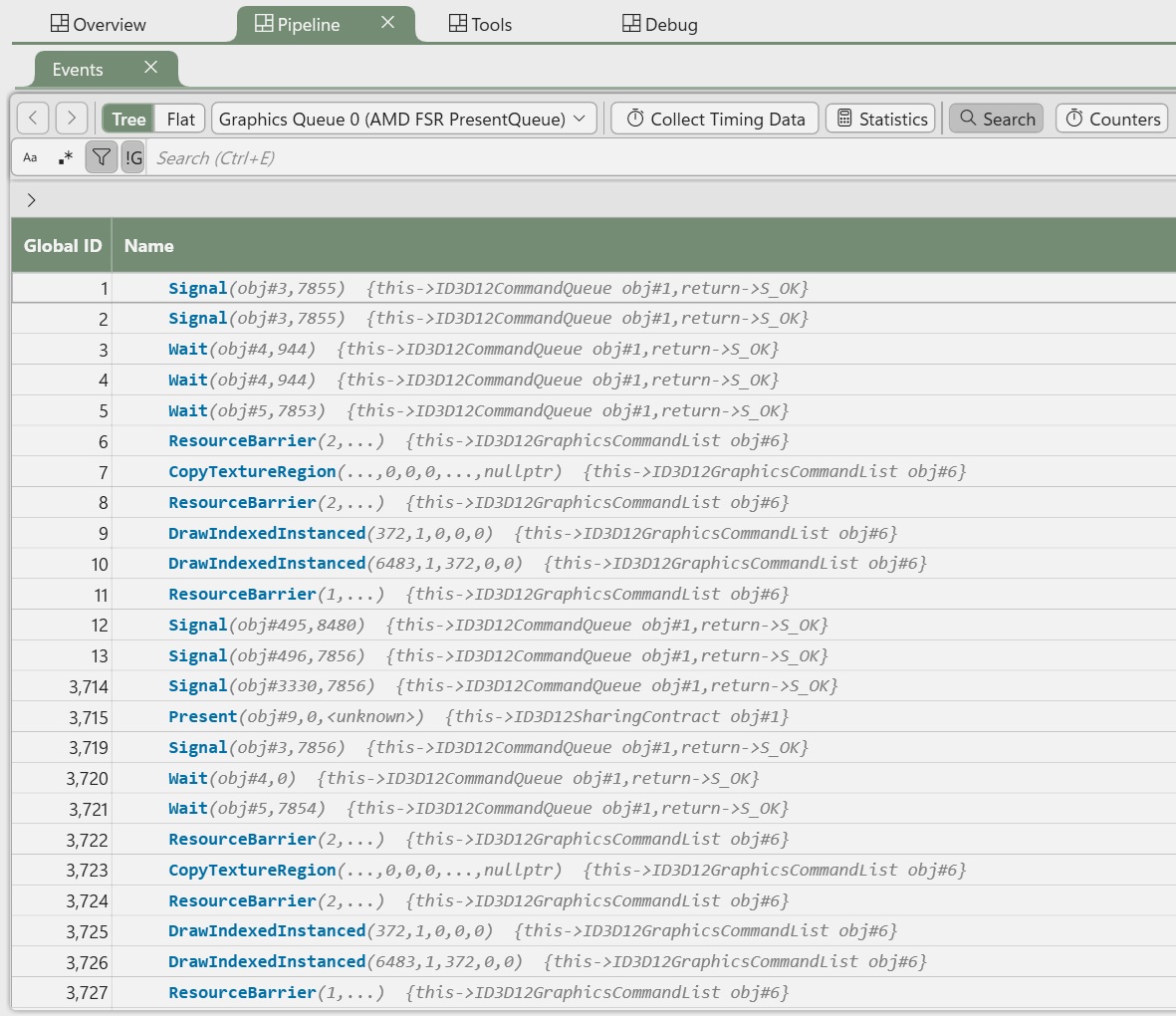
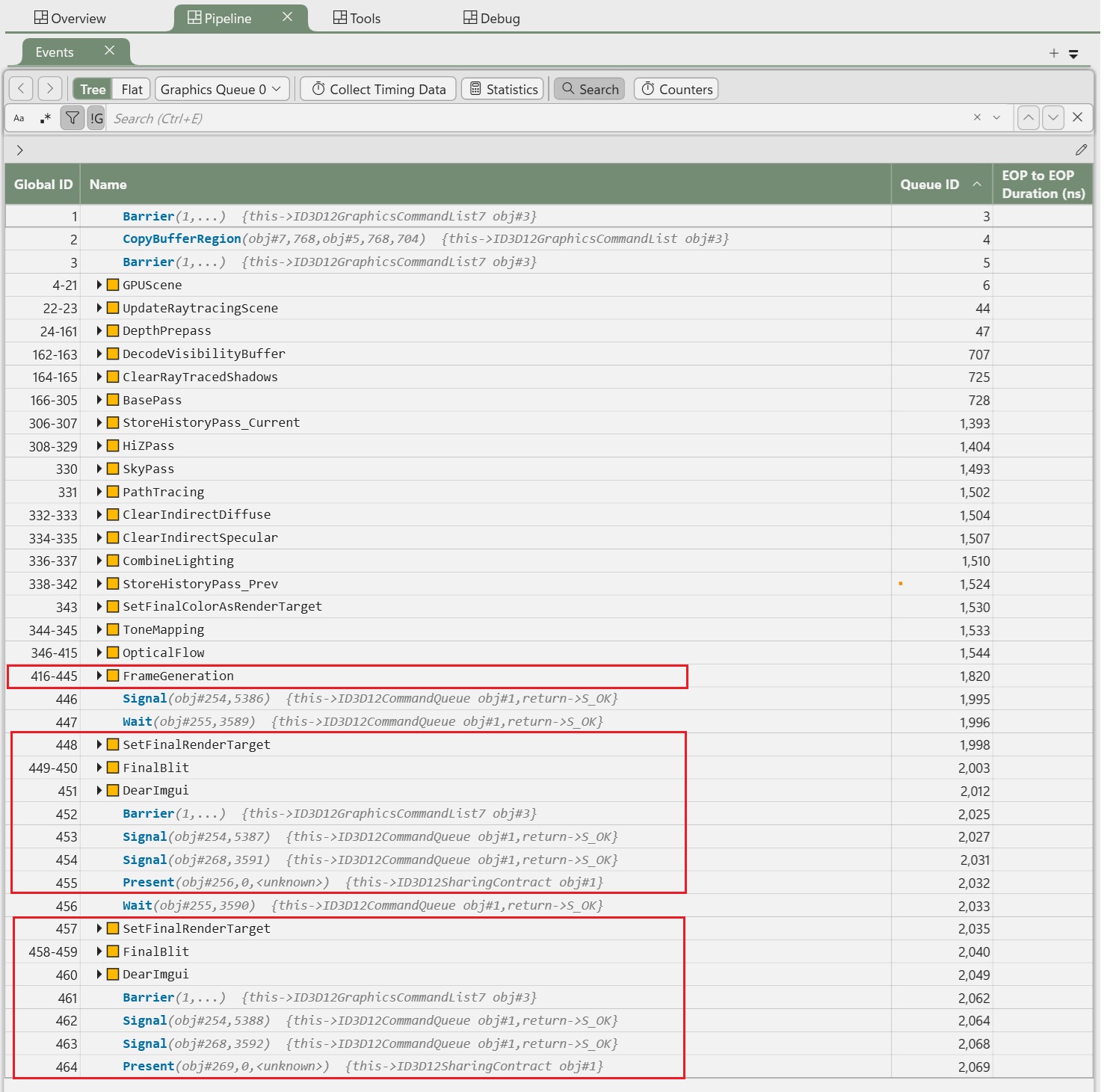
PIX captures of AMD FSR demo and my demo.
Using your own swapchain interaction has a nice side effect that you can see all the GPU events in a PIX capture as before. In AMD's FSR demo, the present thread 'snatches' the focus so PIX only can see what it does but cannot see your rendering thread's work.
By its nature frame generation inevitably introduces input lag and I can feel it as a first-person shooting gamer. But the lag decreases as the base frame rate increases, and I start to cannot feel it that much when base FPS goes over 60. Also I'm not die-hard sensitive to input lag when playing slow-paced games. It's also useful to decrease power consumption of GPU; when my GPU is powerful enough that I'm hitting 120 FPS but if GPU load is like 96%, then my GPU fans get loud and it's irritating. By capping max frame rate to 60 FPS and running 2x FG, the GPU load decreases to 60 ~ 70% and the GPU fans are more silent. So I think this technology is overall good to utilize.
So far I only integrated FSR3, and I came up with several speculations for it and other frame generation SDKs. I didn't look into any of them in detail yet so take it with a grain of salt.
struct ScenePresentInfo above. The present layer presents interpolated and real frames.